

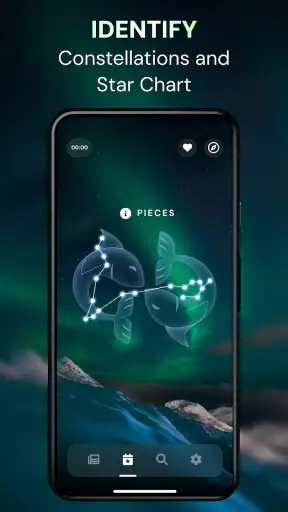
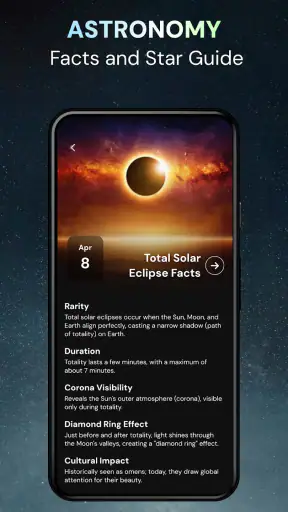
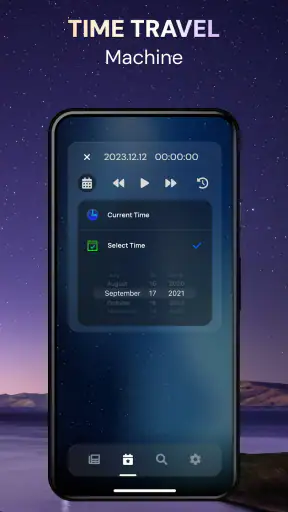
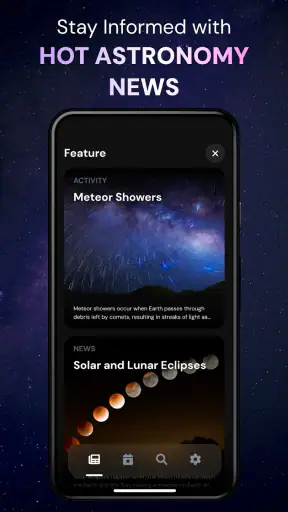
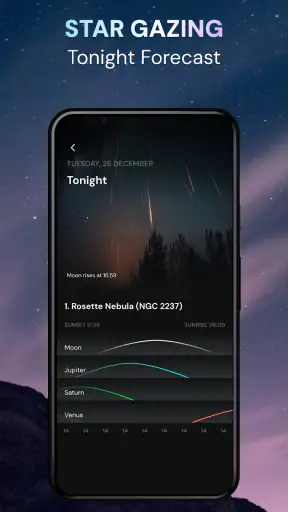
I enjoy astronomy apps most when they make stepping outside feel more rewarding rather than turning the night sky into a complicated lesson. Star Gazer - Live Sky View Map takes that approachable route. It is an education app from LeoStudio Global Ltd. that helps you look at stars, constellations, and planets through a live sky view, with a night-vision space presentation designed to make observing feel more comfortable after dark.
After spending time with it, I see the app as a friendly starting point for people who often look up and wonder what they are seeing. It is free to download, aimed at everyone, and simple enough for casual use. At the same time, it is not a replacement for a dedicated astronomy reference, a telescope, or an advanced observation tool. Its value depends on whether you want quick visual guidance or a deeper, more technical experience.
How Star Gazer fits into everyday stargazing
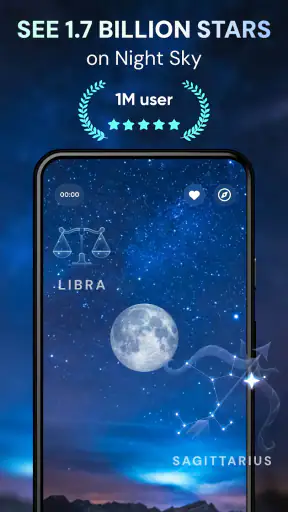
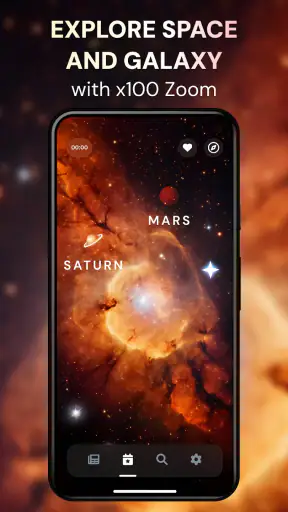
The first thing that makes this app useful is the way it connects the phone screen with the sky above you. Instead of opening a text-heavy catalog and searching manually, I can use the live view as a visual guide. That matters when I am outside, because I usually want an answer quickly: is that bright point a planet, or am I looking at a star?
The experience is especially suitable for beginners. A child can use it with a parent, a curious adult can explore during an evening walk, and someone who has never learned constellations can begin by matching familiar shapes with what appears overhead. The educational angle feels practical rather than academic. I am not simply reading about astronomy; I am using the display to connect names with positions in the sky.
The store summary focuses on stars, constellations, planets, and night vision, and those are the areas where the app makes the most sense. I would not approach it expecting a complete astronomy course. Its strength is the moment of discovery: point the phone upward, identify something interesting, and then decide whether you want to learn more from another source.
Because the content rating is Everyone, it is an easy app to share with younger users. Still, I would treat it as a supervised outdoor activity for children, not something to use while walking near roads or uneven ground. The screen can guide attention, but it should never replace awareness of the surroundings.
What the free download actually offers
The app is free, which makes trying it low-risk. I can install it, test the sky view, and decide whether it fits my habits without committing money first. That is important in this category because the usefulness of a sky map depends heavily on personal interest and local viewing conditions. Someone may love the idea of identifying constellations but only use the app a few times each year.
There are in-app purchases ranging from $0.99 to $49.99 per item. That broad range is worth paying attention to before buying anything. The free entry point is clear, but the presence of optional purchases means the complete experience may not be identical for every user. I would begin with the free version and only consider an upgrade after finding a feature that solves a real problem for me.
This is also where I would avoid judging value by the download alone. A free astronomy app can be excellent for occasional curiosity, while a paid option may be better for someone who needs detailed observing tools. Star Gazer earns its place on my phone if I use it as a quick visual companion, not if I expect every specialist function without paying.
The app has an average rating of 4.0 from around 46 thousand ratings, with roughly 3.3 thousand written reviews. It has also passed 5 million installs, so it is clearly reaching a large audience. Those figures suggest broad appeal, but they do not tell me whether it will be perfect for a particular phone, location, or observing style. I still recommend testing the free access personally.
Using the live view more intelligently
A common mistake with sky-map apps is to point the phone around randomly and assume every label will immediately make sense. I get better results when I first choose a visible target. For example, if I notice the brightest object in one part of the sky, I can use the app to investigate that area instead of sweeping across the entire horizon.
Another useful habit is to lower the brightness of the phone before spending time outdoors. Even a well-designed night presentation cannot completely remove the effect of a bright screen on dark-adapted eyes. I prefer to identify an object, glance at the information, then turn the screen away while I continue looking upward. This makes the app a guide rather than the main event.
I also find it helpful to use the app before going outside. A short indoor session can give me a rough idea of what to look for, so I am not trying to learn the interface in the cold or darkness. Once outside, I can concentrate on matching the display to the real sky. This preparation is a small change, but it makes casual observation feel much less frustrating.
For families, I would turn the app into a question-and-answer activity. One person chooses a region of the sky, another tries to identify a constellation, and then everyone checks the result together. That approach gives the app more educational value than simply scrolling through labels. It also helps children understand that the phone is assisting observation, not creating the stars.
Where it differs from ordinary astronomy alternatives
Compared with a printed star chart, Star Gazer is more immediate. A paper chart does not need to be held at a particular angle or pointed toward the sky, but it also requires more effort to interpret. The app is better when I want a fast answer; the chart can be better when I want to study patterns without screen glare or battery concerns.
Compared with a general search engine, the app keeps the discovery process connected to the sky. Searching for “bright object in the west” can produce useful information, but it does not provide the same visual relationship between the phone’s view and the area above me. Star Gazer is more convenient for exploration, while a web search may be better for detailed background reading after I have identified something.
Dedicated astronomy software is the stronger choice for experienced observers who need extensive catalogs, planning tools, or technical control. I would not choose Star Gazer as my only tool for serious telescope sessions. Its appeal is its low barrier to entry, not specialist depth. That distinction prevents disappointment and makes the app easier to appreciate for what it does well.
A physical telescope is a completely different purchase. The app can help me understand where to look, but it does not turn a phone into an optical instrument. If my goal is to see surface details on the Moon or observe distant objects through magnification, I need suitable hardware. Star Gazer can support that hobby, but it cannot replace it.
Practical limitations I noticed
Live sky identification is naturally sensitive to how the phone is held and how clearly the sky can be seen. In a city with strong light pollution, there may be fewer visible stars to match with the display. Clouds, buildings, trees, and a narrow view from a balcony can also reduce the usefulness of the experience. These are not flaws unique to this app, but they affect how much value I get from it.
There is also a trade-off between simplicity and depth. A beginner benefits from a clean, approachable presentation, but an experienced user may quickly want more information than a casual sky guide provides. If I already know constellations and regularly plan observations, I would compare the available purchase options carefully and consider whether a specialist app offers better value for my needs.
The night-vision presentation is helpful, but I would not assume that it makes the phone invisible in a truly dark environment. I still need to manage brightness and avoid staring at the screen continuously. The best workflow is short checks followed by screen-free observation. That is both more comfortable and more faithful to the purpose of stargazing.
Another limitation is that the app does not remove the need to learn basic orientation. I get more reliable results when I know roughly where north, south, east, and west are, or when I have a recognizable landmark in view. Beginners should not see this as a failure. It is actually a useful lesson: sky maps work best when the user participates rather than expecting the phone to do everything automatically.
Who will get the most from it
I would recommend Star Gazer to someone who wants a gentle introduction to astronomy without buying equipment. It is also a good fit for parents looking for an outdoor learning activity, teachers who want a visual prompt for a lesson, and travelers who enjoy checking the night sky from a new location. The free starting point makes it easy to experiment.
It is particularly useful for people who recognize the Moon and a few bright points but cannot identify constellations. The app gives those users a bridge between vague curiosity and intentional observation. Rather than memorizing a chart first, they can begin with what is visible and build familiarity over time.
I also see value for occasional users. If I only go camping a few times a year or enjoy looking at the sky during summer evenings, I do not necessarily need a powerful professional tool. A straightforward app that helps me identify something interesting can be enough. In that situation, paying for advanced functionality may not be necessary, and the free access may deliver the best balance.
On the other hand, I would suggest skipping it if I wanted a complete scientific reference, detailed telescope control, or a highly specialized observing workflow. An experienced amateur astronomer may find the beginner-friendly approach limiting. Someone who dislikes using a phone outdoors may also prefer a printed chart or binoculars.
What to consider before an in-app purchase
The purchase range makes it sensible to separate curiosity from commitment. I would first use the free version across several evenings and in more than one location. That test tells me whether I actually enjoy the live view, whether the display is comfortable on my device, and whether I return to the app after the first novelty fades.
If I later want more, I would ask a simple question: what specific improvement am I paying for? A purchase is easier to justify when it supports a repeated habit, such as preparing a family observation session or helping with regular lessons. It is harder to justify a higher-priced item if I only want to identify a bright object once in a while.
I would also avoid assuming that the most expensive option is automatically the best value. The listed purchase range reaches $49.99 per item, which is a meaningful difference from the free starting point. For a casual user, that upper end may be unnecessary. For a committed learner, it may be worth comparing the purchase with a specialist alternative before deciding.
My approach would be to keep the app free until its everyday usefulness is proven. Then I would choose the smallest purchase that addresses a clear need, rather than paying in advance for features I may never use. That is the fairest way to evaluate an app whose audience ranges from curious beginners to more serious hobbyists.
Device and version details that matter
The current version is 2.3.4, and the app supports devices running Android 7.1 or later. That gives it a relatively broad reach for Android users, including people who are not carrying a recent phone. Still, sky-view apps can feel different across devices because screen size, sensors, camera behavior, and performance vary. I would give the free version a proper trial on the device I plan to use outdoors.
The developer is LeoStudio Global Ltd., and the app belongs in the education category rather than entertainment alone. That classification matches my experience: the fun comes from discovery, but the practical purpose is learning to recognize objects in the sky. It works best when I treat each session as a small lesson instead of expecting a passive screensaver.
It was released on January 30, 2024, so I see it as a relatively recent option rather than an old utility that has simply been forgotten. The version number and release information are useful context, but they do not change my main advice: test the core experience first, because personal comfort and viewing conditions matter more than a feature list.
My final recommendation
Star Gazer - Live Sky View Map is worth trying if I want an accessible way to connect names with the stars, constellations, and planets I can see above me. Its strongest quality is convenience. I can move from curiosity to identification without carrying a book or learning a full chart before I begin. The Everyone age rating and free access also make it easy to share with family members.
Its value becomes less certain when I expect advanced astronomy tools. The live view is a starting point, not a telescope, a complete course, or a substitute for serious observation equipment. Screen brightness, local light pollution, orientation, and the app’s beginner focus all create trade-offs that experienced users should consider.
My buy-or-skip verdict is simple: try the free version, keep it if it makes you look up more often, and only pay when a specific need justifies the purchase. For casual stargazers and learners, I think that is a sensible deal. For specialists seeking deep technical control, I would skip the upgrade and compare dedicated astronomy software instead.
In my experience, Star Gazer - Live Sky View Map succeeds when it turns an ordinary evening into a small discovery. I would recommend it to a friend who wants an easy first step into astronomy, while being honest that its greatest strength is approachability rather than depth.


